Try the new desktop beta
Easier to read, keyboard-first, auto-save, attachments and more: help us shape it.
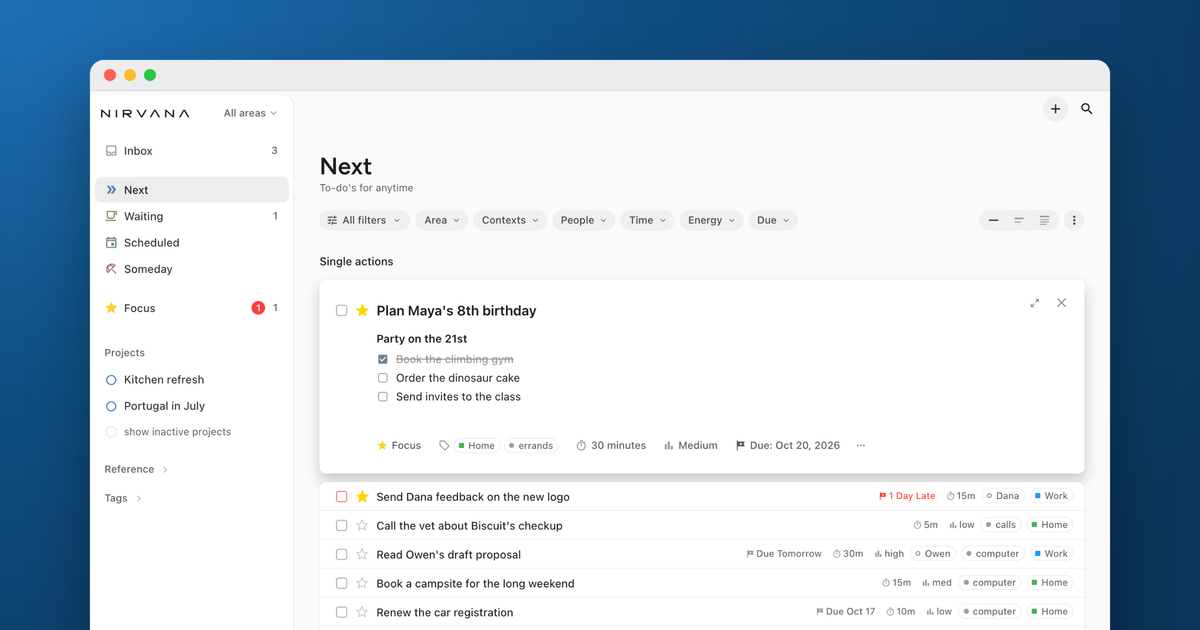
It's been a minute since our last blog post. Hope you had a great summer!
Here at Nirvana, features and updates have been queuing up and we're starting to roll them out. The mobile apps received a major UX overhaul back in June. Now it's the desktop's turn. There's quite a lot, and if you're reading this post we'd love your help.
What's new, guided by what we've heard from you:
- Auto-save: capturing and editing save as you type, with no more Save/Cancel buttons. Changed your mind? Cmd+Z / Ctrl+Z undoes it.
- Keyboard-first: every part of the app can be reached and navigated from the keyboard alone.
- Easier to read: a more legible font and higher contrast.
- Formatting: bold and italics, bullets and checklists.
- File attachments: attach files and images to any to-do. For now they appear only in the beta. Storage limits may change while we fine-tune things.
- Jump anywhere: Cmd+K / Ctrl+K takes you to any list, project or to-do.
- Your sidebar, your way: reorder lists, or hide the sidebar entirely.
- Grouped by project: tag views and search results can now be grouped by project.
And there's more on the way that we'll share soon.
Try it: https://beta-focus.nirvanahq.com
You'll be asked to sign in on your first visit. You can keep using the regular focus.nirvanahq.com alongside it if you like. It's the same account and the same data, kept in sync through the cloud.
Change takes a little getting used to. If something feels off, tell us in the comments.